
Lab: Sign Up for Tableau Public
Estimated time needed: 10 minutes
In this lab, you will learn how to sign up for Tableau's free public platform.
Objectives
The exercise in this lab teaches you how to sign up for Tableau Public. In this hands-on lab, you will:
- Sign up for Tableau Public
Exercise: Sign Up for Tableau Public
In this exercise, you will sign up for the free Tableau Public platform.
In your web browser, navigate to Tableau.
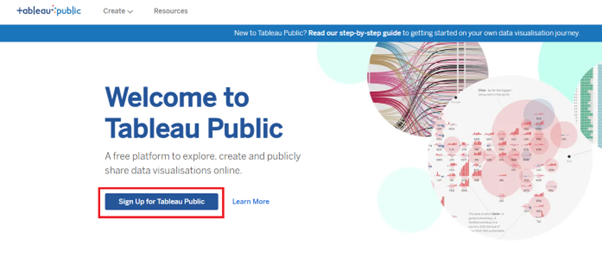
On the Welcome to Tableau Public home page, click Sign Up for Tableau Public.
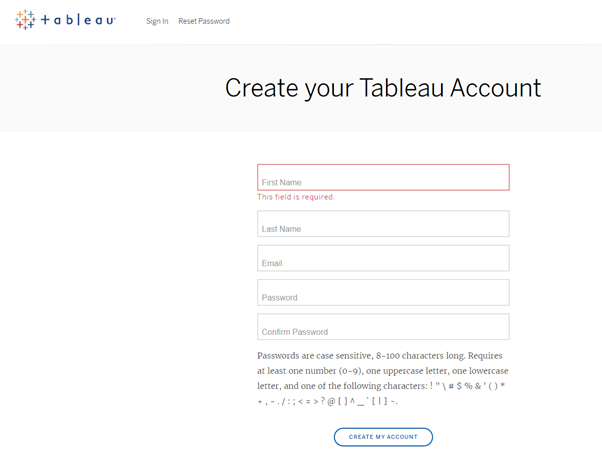
- On the Create your Tableau Account page, fill in the registration details and click Create My Account.
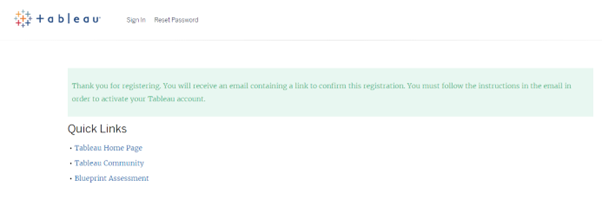
You are redirected to a new page with an email verification message.
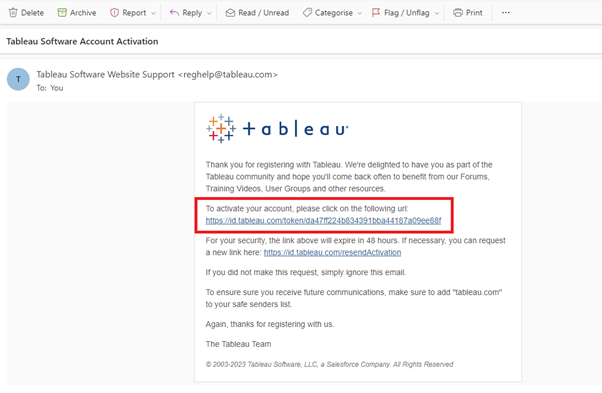
- Open the verification email in your email application and activate your new account by clicking the URL in the email message.
After you click the activation URL, you are redirected to the Welcome to Tableau Public home page.
- In the top-right corner of the home page, click Sign In.

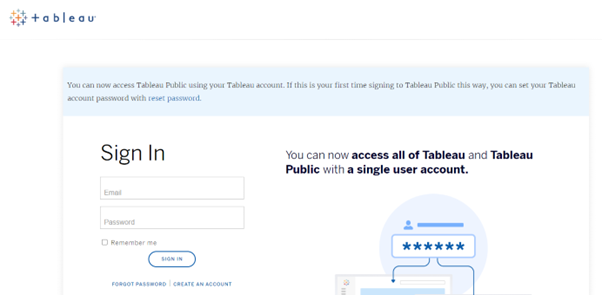
- Enter your login credentials and click Sign in to open the Tableau Public platform.
- Select your country or region, agree to the terms of use, and then click Complete Sign-In.

Congratulations! You have completed this lab and are ready for the next topic.
Author(s)
Steve Ryan